Computer Network Topology: Types, Advantages, and Real-World Use Cases
Network topology refers to the arrangement of devices, nodes, and connections in a computer network. It determines how data flows within the network and affects performance, scalability, and reliability. Understanding network topology is crucial for BCA, B.Tech, and IT professionals as it lays the foundation for network design and optimization.
What is Network Topology?
Network topology defines the physical or logical structure of a network. It determines how different nodes (devices) communicate, how data is transmitted, and how failures impact network performance.
Why is Network Topology Important?
Performance Optimization – A well-designed topology minimizes latency and maximizes speed.
Scalability – The right topology allows future expansion without disrupting existing systems.
Reliability & Fault Tolerance – Helps in designing networks that can recover from failures.
Cost Efficiency – Some topologies are cheaper to implement than others, impacting budget constraints.
Security Considerations – Certain topologies provide better control over data security.
Ease of Management – Some topologies are easier to troubleshoot and maintain.
Detailed Overview of Network Topologies
- Bus Topology
Bus topology consists of a single central cable (backbone) to which all network devices are connected. This topology is cost-effective for small networks but has performance and scalability limitations.
Pros:
Cost-effective for small networks.
Requires less cable compared to other topologies.
Simple to install and configure.
Cons:
Single point of failure – If the backbone cable fails, the entire network is disrupted.
High traffic leads to data collisions.
Not scalable for large networks.
Real-World Use Case: Used in small offices and early Ethernet networks, but largely replaced by Star and Hybrid Topologies.
- Star Topology
Each device in a Star topology connects to a central hub or switch, providing better performance and fault tolerance.
Pros:
Highly reliable – If one node fails, others remain operational.
Easy to troubleshoot and expand.
Can handle high network traffic without much degradation.
Cons:
The central hub is a single point of failure.
More cabling is required.
Costs more than a Bus topology.
Real-World Use Case: Widely used in modern office networks, data centers, and Wi-Fi networks.
- Ring Topology
In this topology, each device is connected to two other devices in a closed loop. Data moves in one or both directions.
Pros:
Cons:
Real-World Use Case: Used in telecommunications and fiber-optic networks for seamless data transmission.
- Mesh Topology
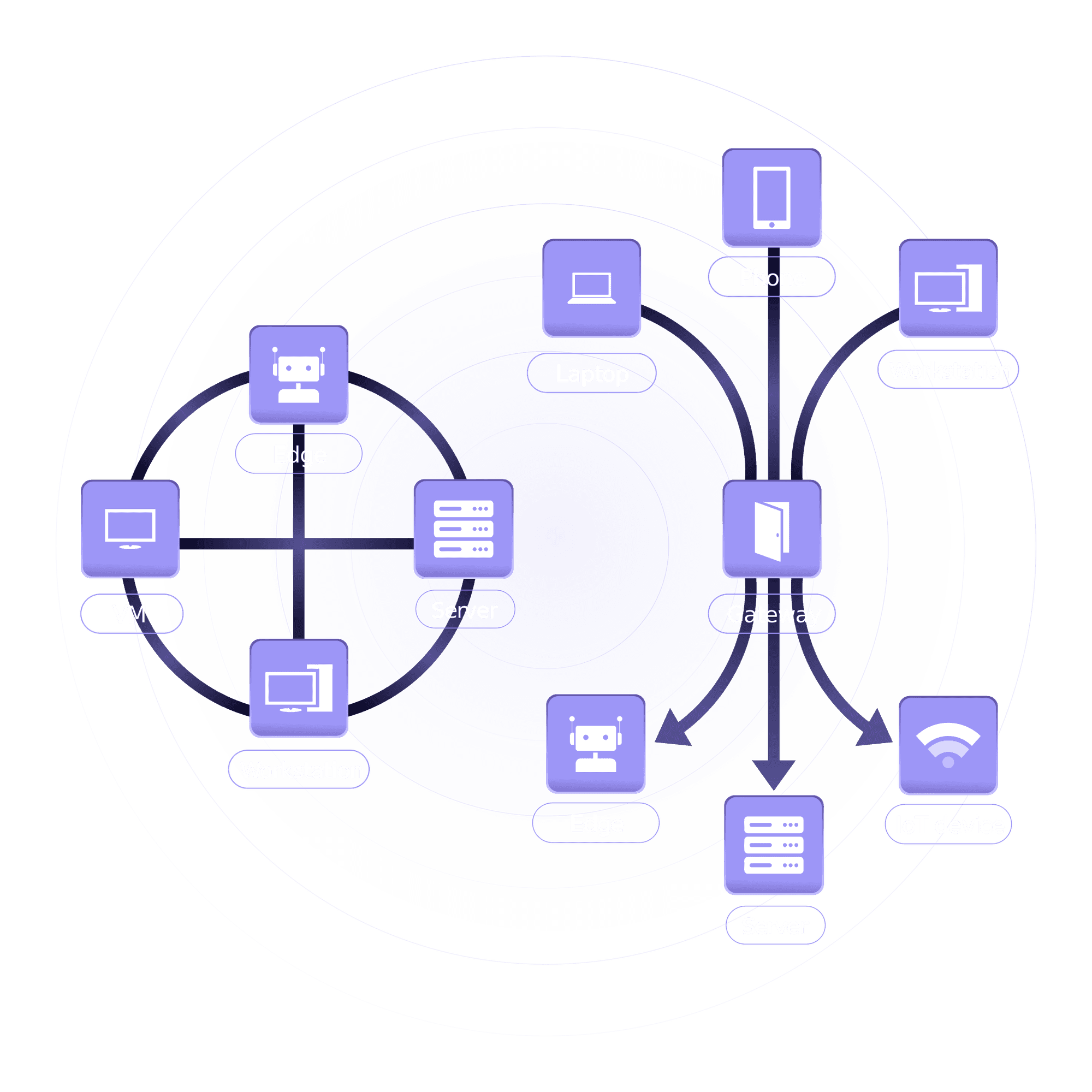
Mesh topology connects every device to every other device, ensuring high fault tolerance.
Pros:
Cons:
Real-World Use Case: Used in banking networks, military communications, and cloud computing infrastructures.
- Hybrid Topology
A combination of two or more topologies, integrating the best aspects of multiple designs.
Pros:
Highly flexible and scalable.
Can be customized based on network requirements.
Balances performance, reliability, and cost.
Cons:
Real-World Use Case: Found in large enterprise networks, data centers, and global infrastructures.
Comparison of Network Topologies
| Topology | Cost | Scalability | Reliability | Fault Tolerance | Ease of Maintenance |
| Bus | Low | Low | Low | Low | Moderate |
| Star | Moderate | High | High | Moderate | High |
| Ring | Moderate | Moderate | Moderate | Low | Difficult |
| Mesh | High | High | Very High | Very High | Difficult |
| Hybrid | High | Very High | Very High | Very High | Complex |
Advanced Considerations in Network Topology
Network Performance – The choice of topology impacts speed, latency, and congestion.
Security Risks – Certain topologies, like Star and Mesh, provide better security mechanisms.
Scalability Needs – Businesses planning expansion should select a topology that supports easy scalability.
Disaster Recovery – Mesh and Hybrid topologies offer superior failover mechanisms.
The Future of Network Topologies
With advancements in networking technologies, new topologies are emerging:
Software-Defined Networking (SDN) – Allows dynamic changes in network topology using software controls.
5G and Wireless Networks – Enhancing connectivity with minimal physical infrastructure.
Cloud-Based Networking – Uses hybrid and distributed topologies to handle large-scale applications.
IoT Networking – Requires scalable and adaptable topologies to manage thousands of connected devices.
Which Network Topology is Best?
For small businesses: Star topology for its reliability and ease of maintenance.
For high-speed networks: Ring topology to prevent data collisions.
For mission-critical systems: Mesh topology for fault tolerance and redundancy.
For large enterprises: Hybrid topology balancing cost, performance, and scalability.
Conclusion
Network topology plays a fundamental role in determining efficiency, reliability, and cost. Selecting the right topology depends on budget, scalability, security, and fault tolerance. Businesses should carefully assess their networking needs to ensure a robust and optimized infrastructure.
Want to learn more? Check out our CCNA Training Program for in-depth networking knowledge.